
It fills itself
Capture from card, badge, or tap during the event — straight into the Hub. No spreadsheets, no end-of-day data entry.
The Hub
The Hub is where your contacts live — enriched, tagged, searchable, with the event you met them at and your notes attached. It fills itself while you're at the event.
Inside the app
Add a contact by capture, LinkedIn link or import — then keep up to three selfies, the meeting mode, notes and a reusable introduction alongside them.
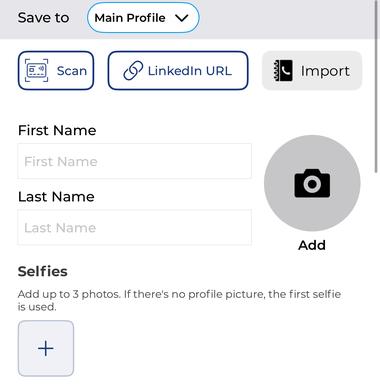
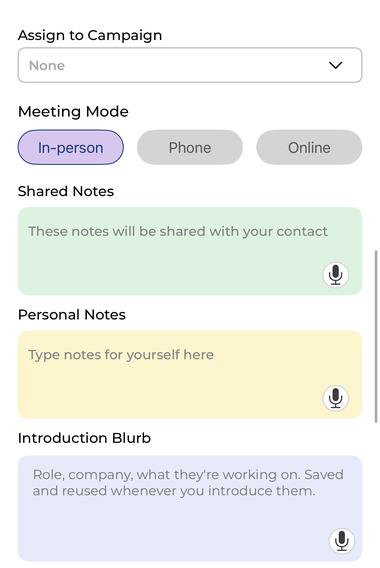
Screens from the mTap app. Details shown are examples.
What the Hub does
Capture from card, badge, or tap during the event — straight into the Hub. No spreadsheets, no end-of-day data entry.
Event, date, your notes, 90% enrichment, and tags — attached to every record.
Search by name, company, event, or note. Filter and dedupe so the right contact surfaces.
To the CRM you already use — Salesforce, HubSpot, Keap, Zoho, Redtail, or GoHighLevel. See /integrations.
Proof · NJBIA
At NJBIA's annual event, the Hub captured 3× more contacts than the prior year — with 100% follow-up.